How to Add a Badge
A step-by-step guide to adding Made by Human badges to your GitHub README, website, or portfolio.
Step 1
Choose your badge
There are four badges, each signalling a different relationship between human creativity and technology:
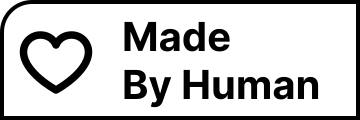
- Made by Human: a general badge for any project where a human made the creative decisions.
- Co-created with AI: for work where AI tools helped generate, refine, or translate content.
- Crafted by Human: for work made entirely by hand, without AI involvement.
- Human in the Loop: for AI-assisted workflows with human oversight and editorial control.
Each badge is available in white and black variants. Browse the full gallery to preview all four.
Step 2
Copy the embed code
On the badges page, click the badge you want. You'll see three copy buttons:
- Copy Markdown: for GitHub READMEs and other markdown files
- Copy HTML: for websites and web apps
- Copy Image URL: the raw SVG URL, useful for custom setups
All embed codes include a link back to madebyhuman.iamjarl.com so visitors can learn about the project.
Step 3
Paste it in
GitHub README
Paste the Markdown code into your README.md file. The badge renders directly in your repository.
[](https://madebyhuman.iamjarl.com)Website
Paste the HTML code into your page template, component, or CMS rich-text editor:
<a href="https://madebyhuman.iamjarl.com">
  <img src="https://madebyhuman.iamjarl.com/badges/made-white.svg" alt="Made by Human" width="360" height="120">
</a>
Portfolios, decks, and other projects
For tools that don't support Markdown or HTML, download the SVG file directly from the badges page and use it like any other image.
Best practices
Be honest about the process
The badges exist to make transparency easier, not to decorate. If AI helped, the Co-created with AI or Human in the Loop badge says so clearly.
One badge is enough
Pick the one that best describes your process. Using multiple badges can dilute the message.
Match the variant to the background
Use the white variant on dark backgrounds and the black variant on light backgrounds for maximum legibility.
No attribution required
The badges are MIT licensed. You don't have to credit anyone, though the embed codes include a link back to the project, which helps others discover the badges.
Questions
Do I need to ask permission to use a badge?
No. All badges are free under the MIT License. Use them on any project, commercial or not.
What if my project uses AI in some parts but not others?
Most projects are mixed. Co-created with AI or Human in the Loop both acknowledge AI involvement without overstating it. Pick the one that feels most honest.
Can I modify the badges?
Yes. Fork the GitHub repository and modify the SVG files. The MIT License covers modifications.
Can I suggest a new badge?
Absolutely. Open a issue on GitHub or start a discussion.
Ready to add your badge?
Browse the gallery and copy your embed code in a few clicks.
Go to Badge Gallery